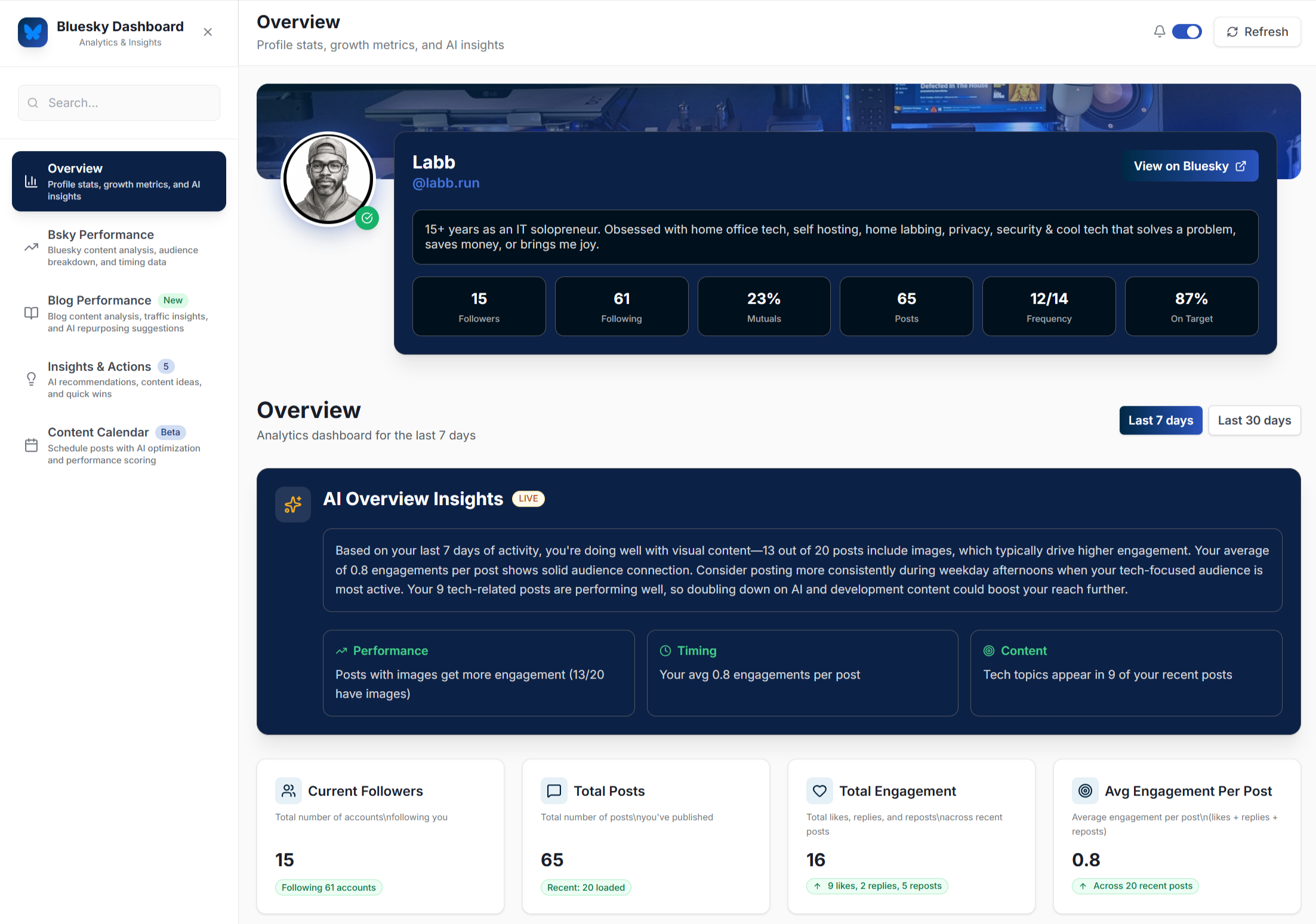
Flashback: When I wrote this post I thought I was successfully coding an app. That excitement and optimism was soon replaced by frustration, before turning into raw disappointment.
This isn’t a vibe coding tutorial. This is a real look at what it was like for me, an Entrepreneur and technology professional with a background in IT, web design, client services, and a home labbing hobby to vibe code an app with no previous experience.
I wouldn’t say I’m completely green. I know HTML, CSS, and dabbled with enough JavaScript, PHP, and database tables to be dangerous. I’ve built, fixed or troubleshot everything from hacked websites to building my own search engine to running crypto miners. I have my Sec+ and CySA+ so I’m aware of application security.
Basically, I know how to figure sh*t out.
So in the spirit of Network Chuck I knew I had to learn how to do this right now!
How it started
I’ve always had app ideas but didn’t have the skills to put them together. I turned some into websites but I was always assed out on the more complicated stuff and those ideas just went unexplored.
I’ve been in with both feet on AI tools for myself and clients including custom GPTs, spaces, projects, gems, labs, agents, n8n, local models…pretty much all the things.

I started watching “vibe coding” videos weeks..maybe months ago. First I had to get past all the grifters telling me that I could one shot vibe code a $50k mo. app in 1-hour, and started narrowing in on tutorials, while also keeping up on fast moving changes, and updates.
I paid attention to the mistakes that people were sharing.
I listened to the cornucopia of application developers on social media warning us like the old timer in every horror movie that vibe coding was the end of times and will result in a world of unsecure garbage that no one will know how to support or maintain.
I also pay attention to the lessons of vibe coding “developers” who created unsecure garbage that they didn’t know how to support or maintain .
The idea
I had a few, but it was playing with Perplexity Labs that sparked an idea for a social media analytics dashboard. I first tried to configure Perplexity to create this, even figured out how to connect APIs to it but I couldn’t quite get there because it’s just not built for that. Here’s my LinkedIn post talking about that.
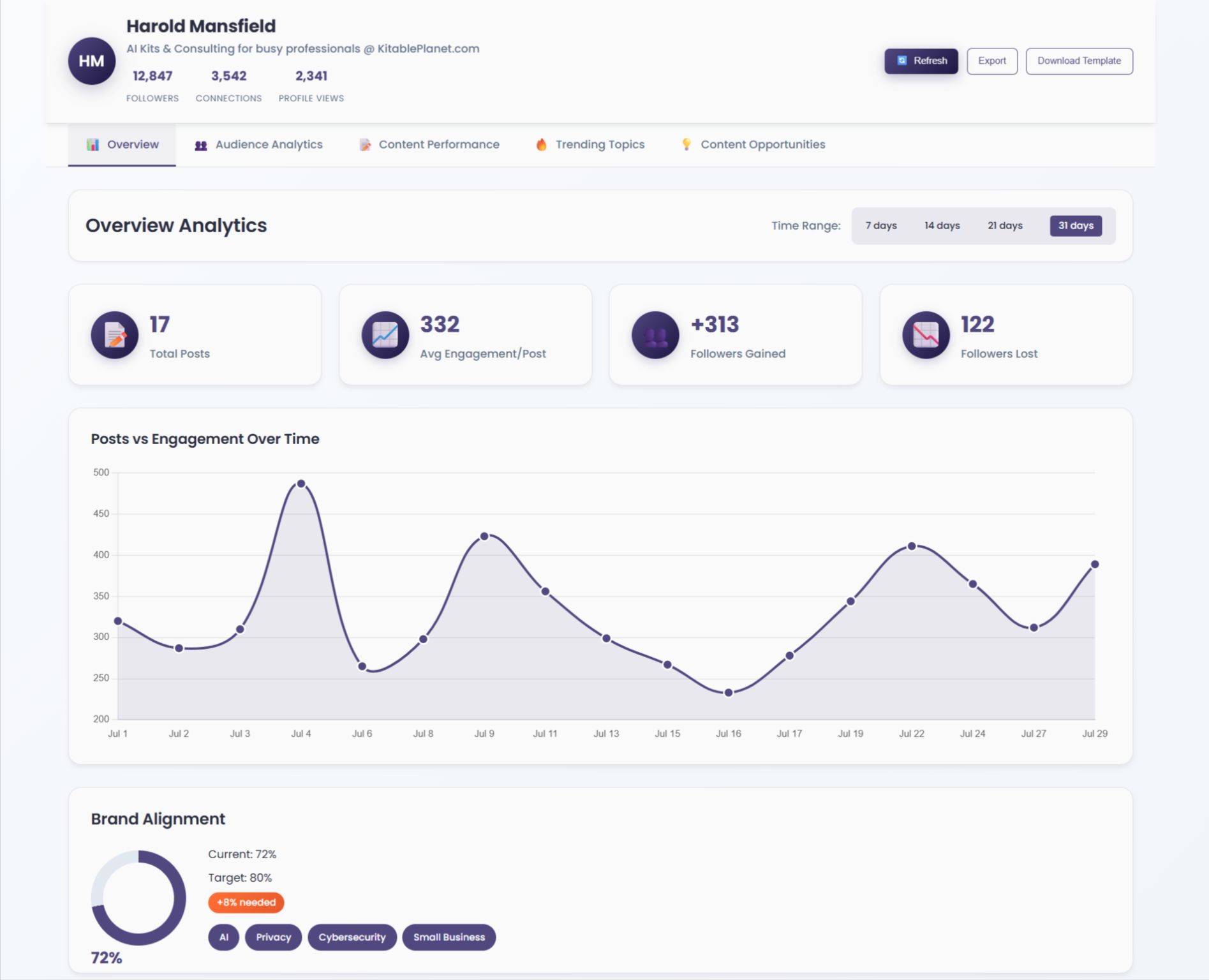
However I became obsessed with the idea and pretty much had no choice but to try to create it.
Where as most people start off with your standard note taking or weather app ( I mean seriously, how many more of these do we need?), I wanted to know if a novice like me could realistically build a solution that I actually needed.
What I wanted was simple (at least to me)
Social media platforms give you crap for data and metrics and offer nothing really helpful (or affordable) for marketers, social media managers or just the average small business owner who is running their own profiles.
I wanted a social media analytics dashboard that actually gave me useful metrics and to use AI to analyze it for me. It was also going to be local, just for me.
- I wanted it to give me feedback on how on target I am to my keywords/keyphrases, and target demographic.
- I wanted it to measure my engagement and highlight opportunities based on who I was following and who followed me.
- I wanted it to also analyze my blog content and how it performed in relationship to targeting and referral traffic.
- I wanted to bring in data of trends not just on the platform, but across others and Google to find opportunities to capitalize on.
- I wanted to integrate my self hosted AI models to analyze all this data and give me actionable insights and suggestions for repurposing content, doubling down on what was working, ideas that my target market was interested in based on global trends, blog post ideas, and (added at the last minute) suggestions for digital products based on all the data and insights.
I knew all the parts to do this existed. I’d also already done some of this with GPTs, but they’re not very interactive.
My hope was that a code assistant would do the heavy lifting and bring it all together.
BTW: To be honest I’m not really into social media marketing like that, and don’t obsess over traffic, “followers” and such. However I was still frustrated with the terrible analytics tools and needing to open (and pay for) a bunch of different apps just to get a clear picture. I would probably be more interested in it if I had some helpful data to go on.
My experience trying to configure Perplexity Labs taught me that LinkedIn’s API is frustrating and limited. However Bluesky’s API was robust and gave me access to all kinds of data and metrics. Even though I haven’t been very consistent on Bluesky it is the perfect API to build a tool on top of.
So off I went.
Preparation
I should have created a product requirements doc (PRD), and if this was for a client I would have. However this was my time, my dime and I was too eager to get started and jumped right in.
Many of the features I ended up with I didn’t set out to do originally, but am glad I included them. A requirements doc may have kept me on track but I honestly feel like things worked out just fine.
Next time I will do it correctly and build a PRD. As a matter of fact, the other day Claude announced a new feature to create just that….
To create a Product Requirements Document (PRD) with Claude Code, install the tool using npm install -g @anthropic-ai/claude-code, navigate to your project directory, and run claude to start a session. Then, use the /prd command, providing the necessary business context and technical details, to generate a PRD that includes business goals, user stories, functional requirements, and technical implementation notes.
Setting things up
It was between Gemini Studio and Claude Code. They’re both tossing out new tools and updates faster than Don Rickles punchlines at a celebrity roast, but I chose Claude Code for my first cliff jump. I will try Gemini Studio on the next one.
(Kids, ask your parents who Don Rickles was)
I’m putting this together after the fact, but here’s how my list of tools and assets ended up shaping out:
- Coding platform: VS Code with Claude Code installed.
- Agents installed: Agents are scripts that you can configure to run tasks. I created a few agents
– To clean up the code, and remove any unused code, dependencies and properly document it.
– To check for security issues and use best practices for application security, paying special attention to the security issues I’d learned about with MCP’s and protecting my API keys. - As I was building Claude did an update and included security checks as a standard feature. The command is
/security-review.
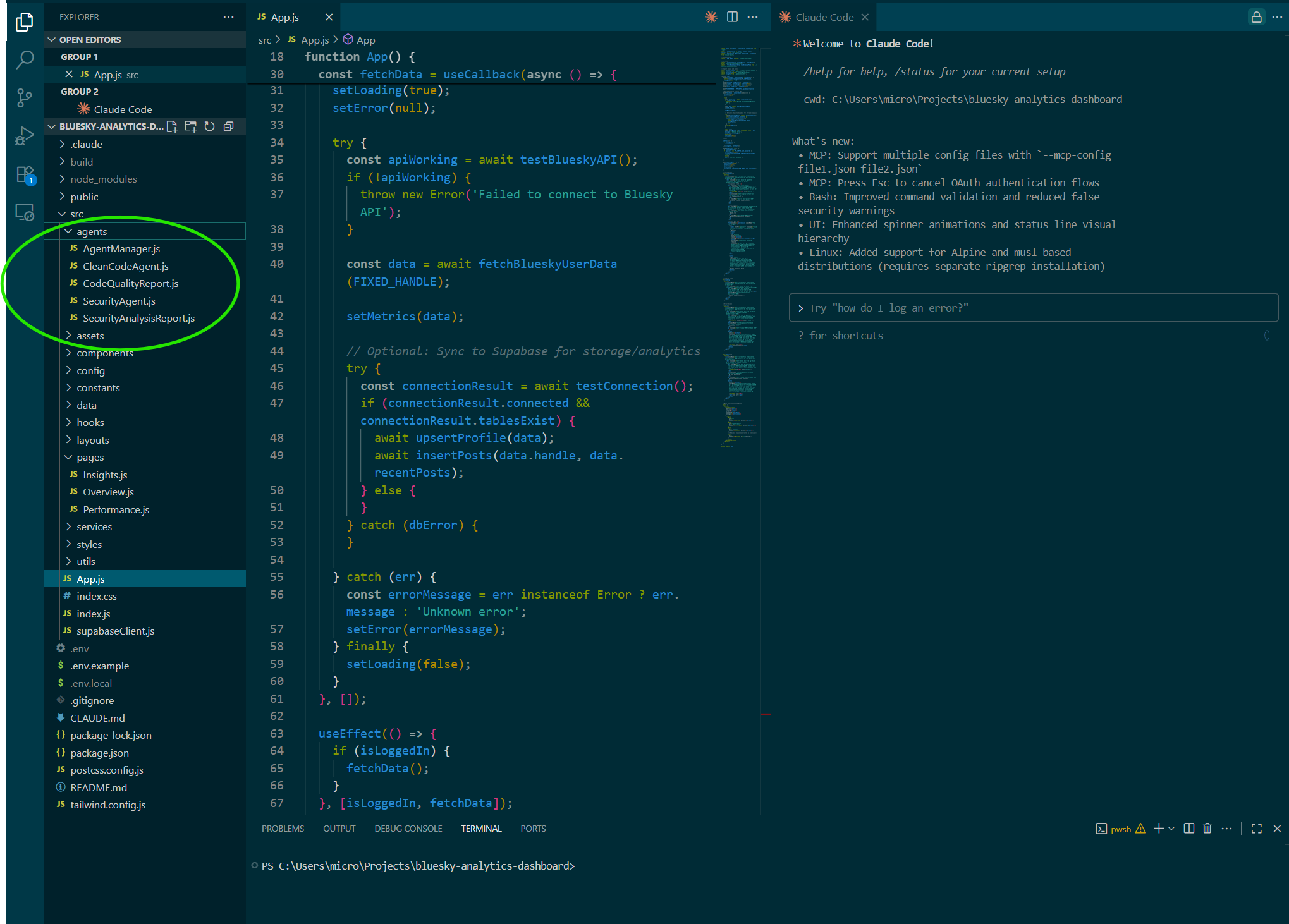
- Add-ons: Claude Code MCP, Awesome Claude Code
- Design: Untiled UI (more on this later)
- Github: Save changes, save your work, review past iterations.
- LM Studio: I was already self hosting 2 instances of LM Studio. For this integration I used Qwen3.
- Postiz: I was also already self hosting my own instance of Postiz social media management application.
- Supabase – Some of the functionality depends on historical data, and the ability to refresh for ideas that haven’t been used before. Supabase is free for light use.
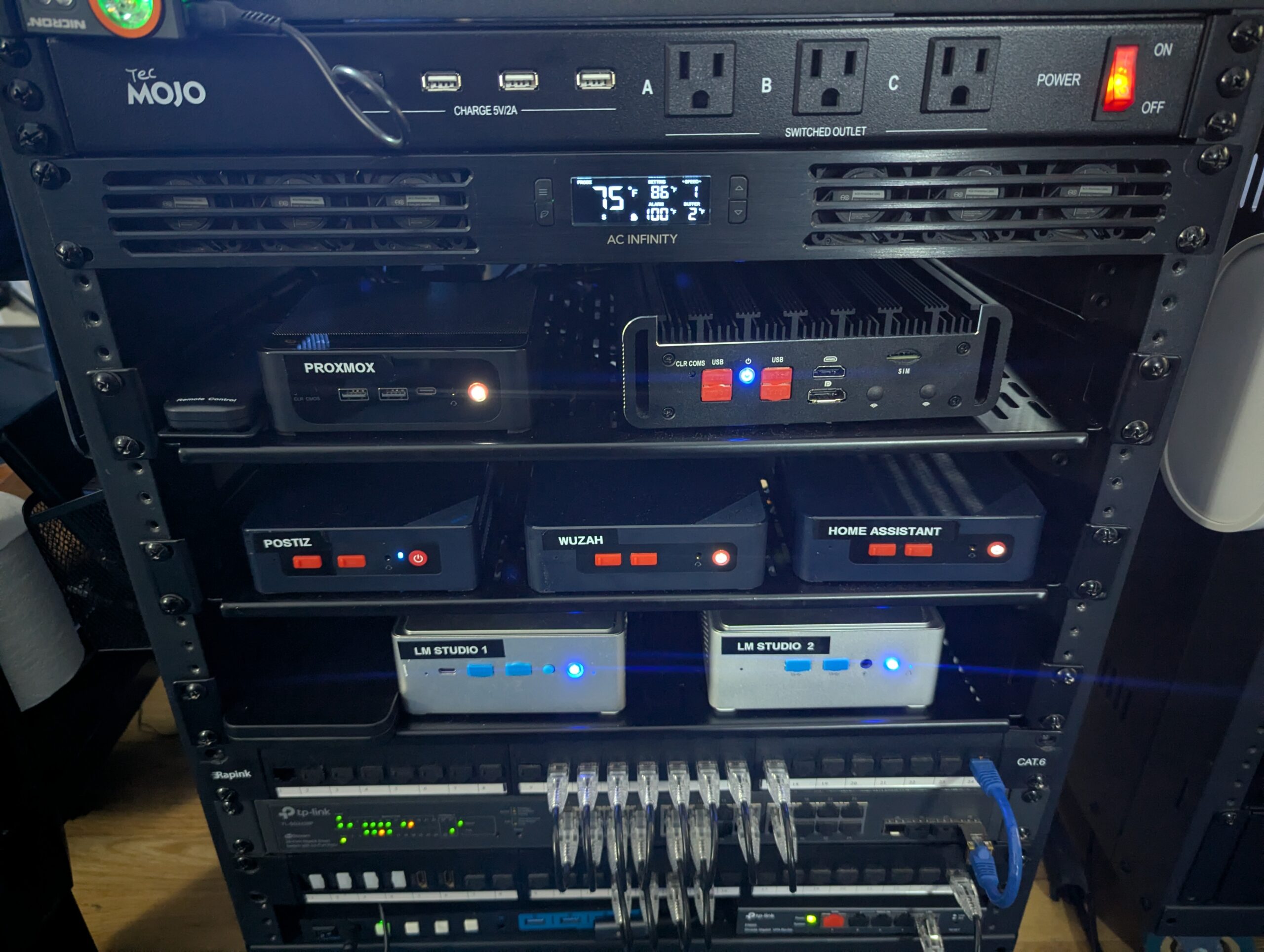
APIs, Data & AI
I needed API keys to gather all the metrics and data I wanted the AI to analyze:
- Bluesky API (this pretty much runs the app)
- LinkedIn API
- Google Trends API
- Postiz API (Self hosted)
- LM Studio API (Self hosted)
- My blog’s RSS feed (set to show 10 full posts)
Obviously you don’t need to self host anything and can create or use the API keys from your existing tools and AI accounts.
Assets
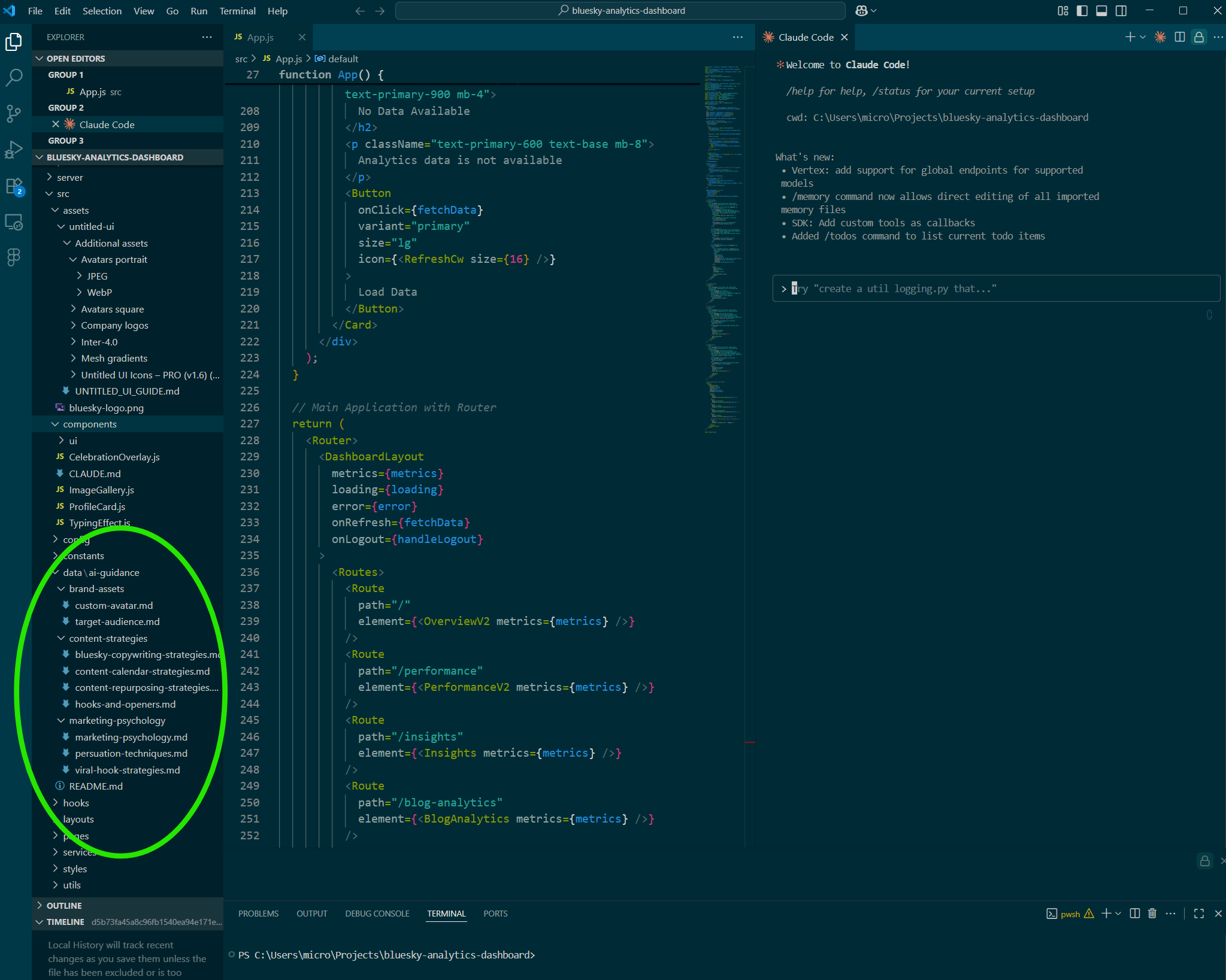
I needed the AI analysis to be specific to my brand, and target audience. I wanted the summaries and suggestions to be guided by my strategies. Luckily I had already created many of these docs and assets for custom GPTs, and (shameless plug) already have kits that either include them or guide you on how to create your own.
- Brand Voice
- Target audience and customer avatar
- Viral Hooks and content strategy
- Marketing Psychology
- Bluesky Copywriting Strategies
- Content Repurposing Guide
How it went
After an initial stall to read some docs and watch a couple more tutorials, I finally got things working.
Initial frustrations
Almost immediately I was disappointed with the design of the app. I probably knew enough CSS to do it myself but that would have been extremely time consuming.
I ended up purchasing the pro version of Untitled UI in the hopes of guiding Claude Code to just follow it’s design structure, but I don’t feel like it ever really integrated well, even though I followed what instructions and documentation I could find. It was turning into something that I could spend days on and decided not to, and just bootstrap (no pun intended) it as much as possible.
I did end up with a design, but not exactly what I wanted. Maybe the next time. A little more on this below.
Blowing through tokens
I started out using my regular old $20 mo. Pro plan to see how far that would get me. Turns out not very for a novice who is going to make a lot of mistakes, and have a lot of revisions. I ended up splurging on the $100 mo Max plan.
At first it seemed to count tokens and you could see them being used, and it would tell me when I’d used up my daily allotment. This was generally after 2-3 hours. Then about 2 days in it seemed to do it based on time and told me that I’d used my 5 hours for the day.
This seemed to be changing in real time but I was able to always get at least 2 or 3 hours of work out of it everyday.
The frustrating thing was when you’re out of time or tokens, it’s done. If you haven’t run your agents and saved your work to GitHub, you just have to hope it picks up where you left off in your next session. Thankfully it always did and I never lost any progress other than the time I mistakenly closed the app before saving about 45 minutes of work.
The real token waster? Sometimes it just doesn’t do what you asked. It says it did, you can see the work happening and the code changing, but when its finished nothing has changed. On one occasion I’m sure I watched it create the code, then remove the code, and then tell me it was done.
This was a real PIA the first couple of days and I wasted a LOT of tokens reiterating instructions.
It also has a tendency to claim all changes were complete but then the app has errors. It always fixed the errors, quite well actually, but it was another example of burning tokens. That wasn’t a huge issue, but it happened enough times to mention.
The fight for design supremacy
Claude Code REALLY wanted to use it’s own CSS over and over again, and it wouldn’t match any of the other pages or any previous styling. Almost as if it treated every element like it was brand new and not part of any existing project.
I spent much of my time fighting with it to just follow the design playbook that we’d already established across the app.
However, I mistakenly thought I’d connected my Supabase database and hadn’t. Once I corrected that, the issue of fighting with it over design seemed to go away or at least was less intense. Coincidence, or it had no ability to remember instructions and it was user error the whole time? It had a project doc that it was supposedly using to document these things, and Untitled UI assets, but it didn’t seem to be referring to any of it.
Being new to this I have to assume user error and explore this more on the next one.
Natural language coding
Is it really natural language coding? Well…yeah it kinda is. I mean you really can give it an idea and a direction and it will put it together pretty well 80% of the time.
You are actually the weakest link.
The more you understand the details of what you’re trying to build, and have some knowledge of building…something…anything…the better your instructions are going to be to get what you want.
UX/UI design is going to be huge. It has some design chops, but you really need to be either know CSS or use a template.
There were times that it wasn’t doing what I asked but thankfully I knew enough CSS (and the code was documented and relatively clean) to go in there, find it myself, and make the changes.
Giving it specific instructions
If you’ve never built anything this may be where you struggle. Its good at following general instructions and you get used to that, but sometimes it behaves as if it can’t figure out the simple stuff.
On one particularly frustrating day I needed to add a button to the right of some content and either it kept pushing the content up to make room for the button or pushing the button up to make room for the content.
Following the changes as it was writing them I saw that it was using grids, and not adjusting the dimensions of the grid to make room for the additional elements. Once I instructed it to resize the grid (and padding) it worked and put the button in correctly.
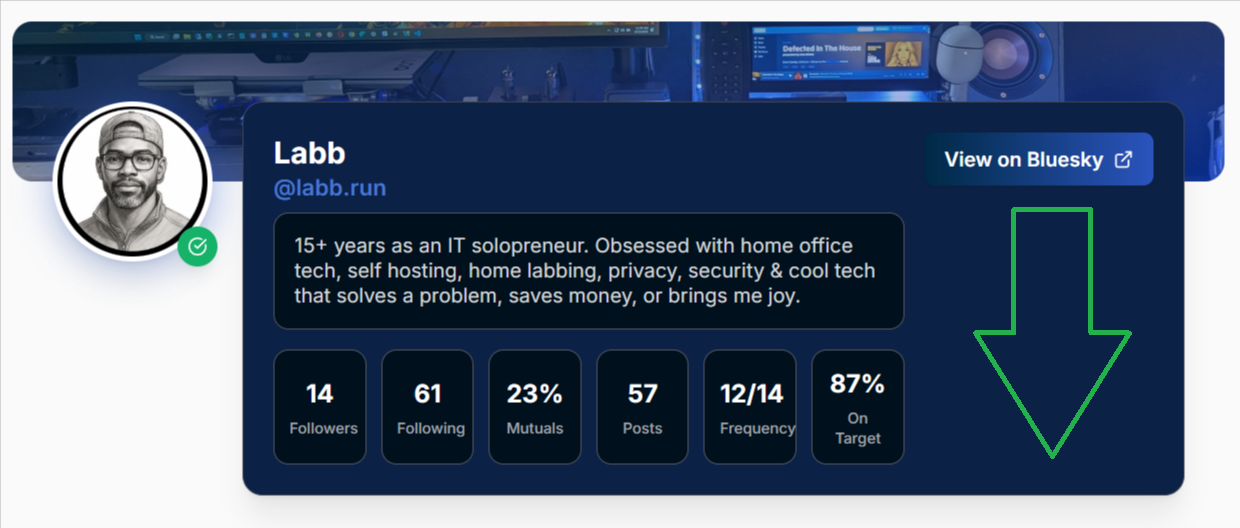
On another occasion, same issue. It wasn’t properly spacing the elements, and when I instructed it to do so instead of resizing the grid, it added an element and created a placeholder to balance out the area instead . That was so weird that if it had been a person I would have thought they were messing with me.
Again, I had to tell it to resize the grid so that the elements were properly spaced to use the full width of the area.
These were perfect examples of how it wasn’t the big things that can trip you up, it’s the little things where having some experience in what you’re doing lets you assess and troubleshoot to guide it.
Additional tools
Claude Code is good, and it functions just like ClaudeAI to answer questions and give you direction, but don’t limit yourself. Use all of your tools and resources to get things done. Some additional tools I used included:
- ChatGPT – I used ChatGPT at times to help me fine tune my instructions so that I didn’t waste tokens figuring it out.
Also, if you need to know what data an API delivers paste it in ChatGPT and ask, and it will list all the data points available to you. This is invaluable and much easier to understand than most API documentation.
- NotebookLM – Updates come fast and almost daily. So fast that sometimes even ClaudeAI doesn’t yet know what the new commands are. I use NotebookLM to summarize updates in whatever form (blog post, documentation, or video), and list the new features and commands for easy recall and access.
- Claude Code docs – Extensive, but very helpful.
- Untitled UI + Figma – I will get this integration to work eventually.
- Claude Slash Commands – Not updated daily but a good place to start. You will notice that the security and project development commands are not listed. When you find new commands you’ll probably want to keep your own list.
How it ended
Believe it or not I actually built the app and it works!
All told I spent about 7 out of 10 days of actual work on it, 2-3 hours a day. One day I spent 5 hours on it. By the end I actually had a working app that does exactly what I want it to do.
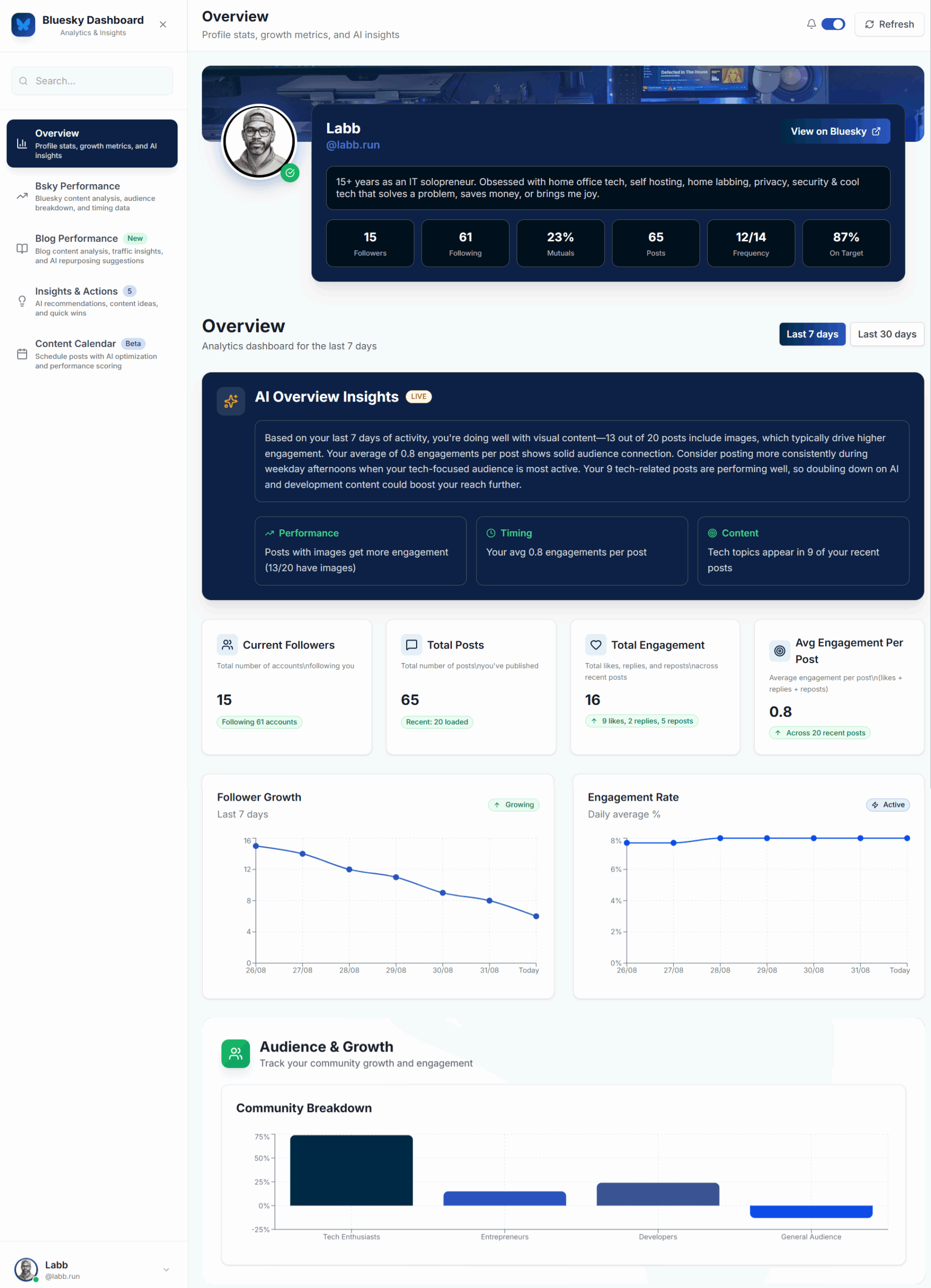
My Bluesky Analytics Dashboard app features:
- An Overview page that summarizes my metrics, and how well my content stays on target to achieve the desired metrics. I added a celebrations script with fireworks that congratulates me when I’ve gained new followers since my last log in.
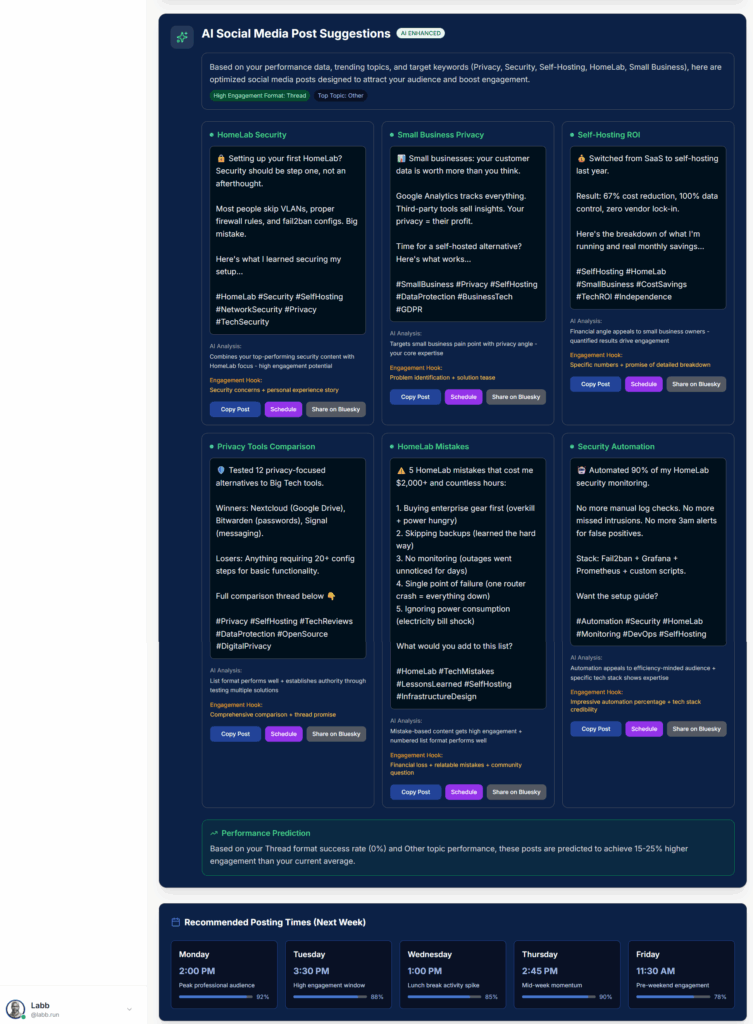
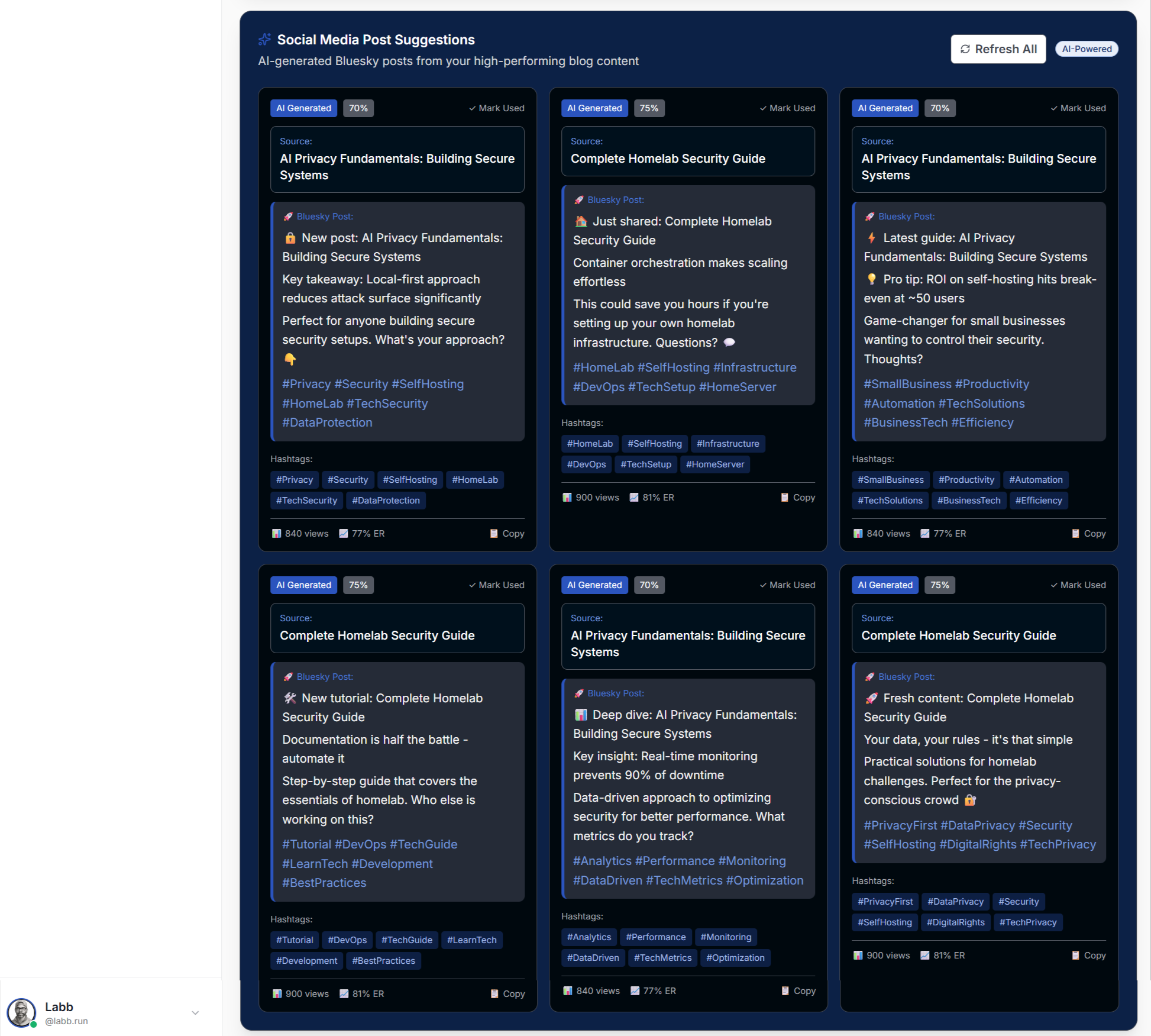
- Bluesky performance Page that measures insights, topic analysis, content performance, analyzes my last 5 posts and last 5 comments, highlights recent followers and their metrics, suggests amplifiers to engage with, suggests posts to capitalize on opportunities, and recommended posting times.
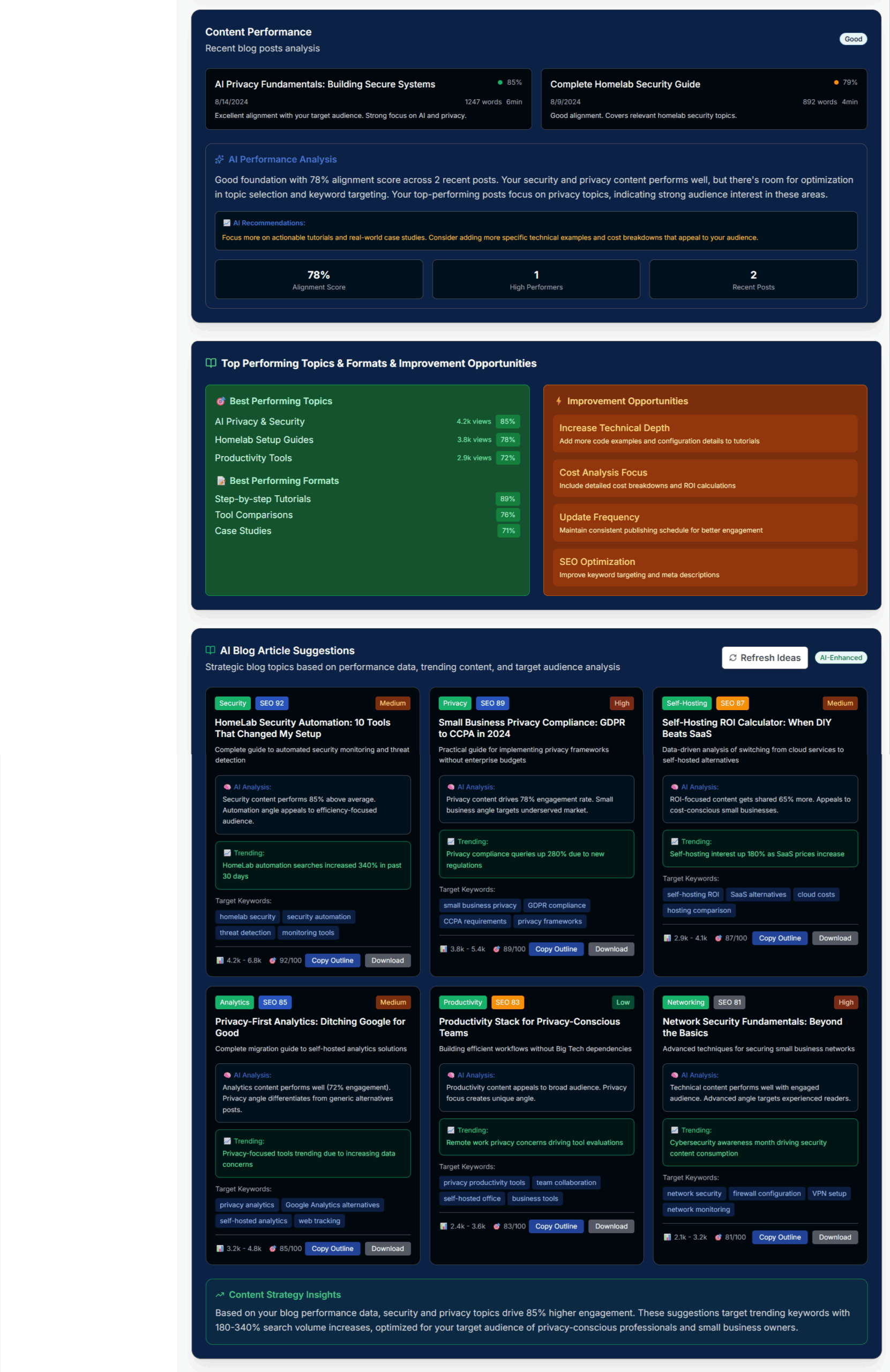
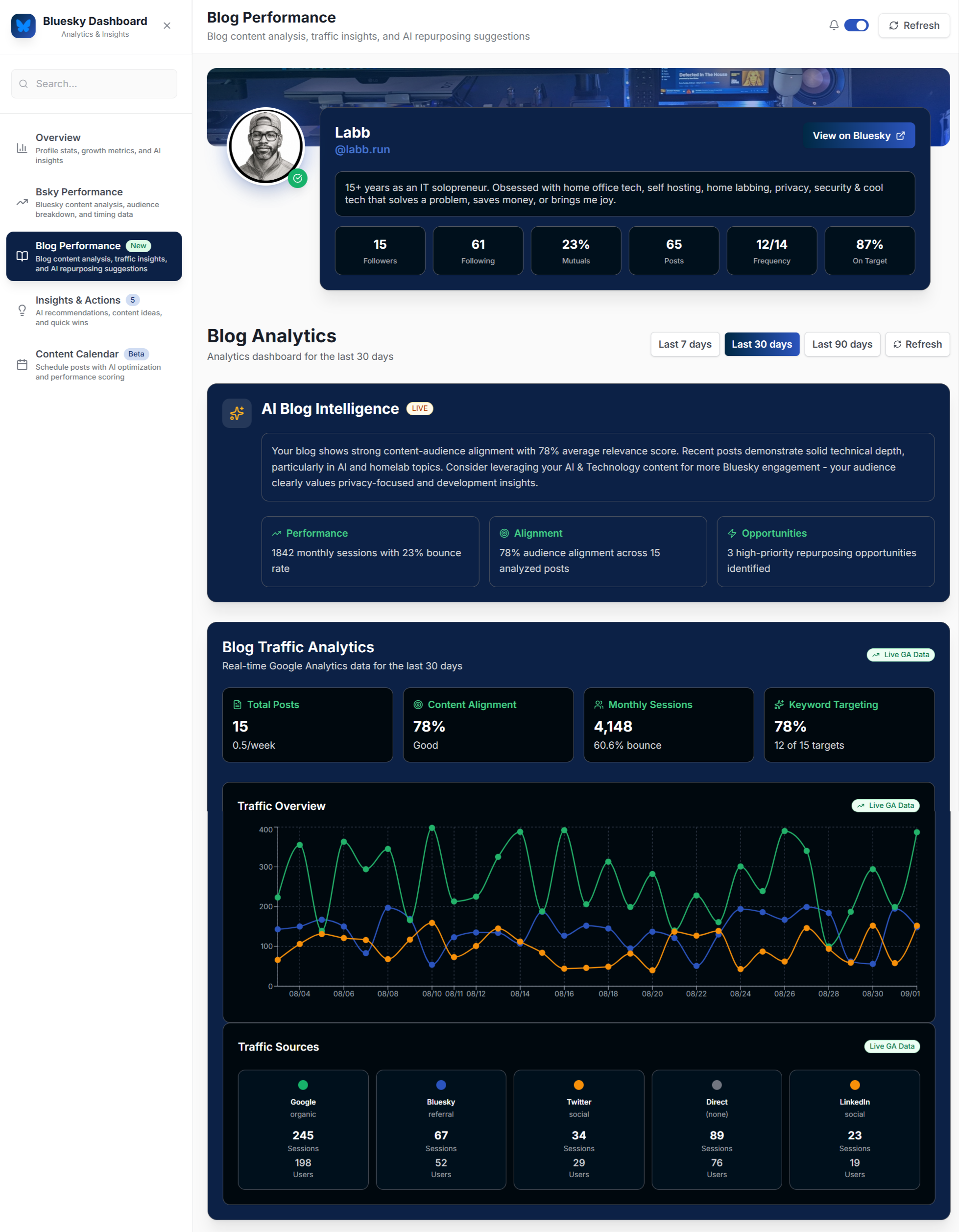
- Blog Performance page that analyzes blog traffic, content alignment, performance, referral traffic and makes article suggestions based on past performance, trends and content repurposing suggestions.
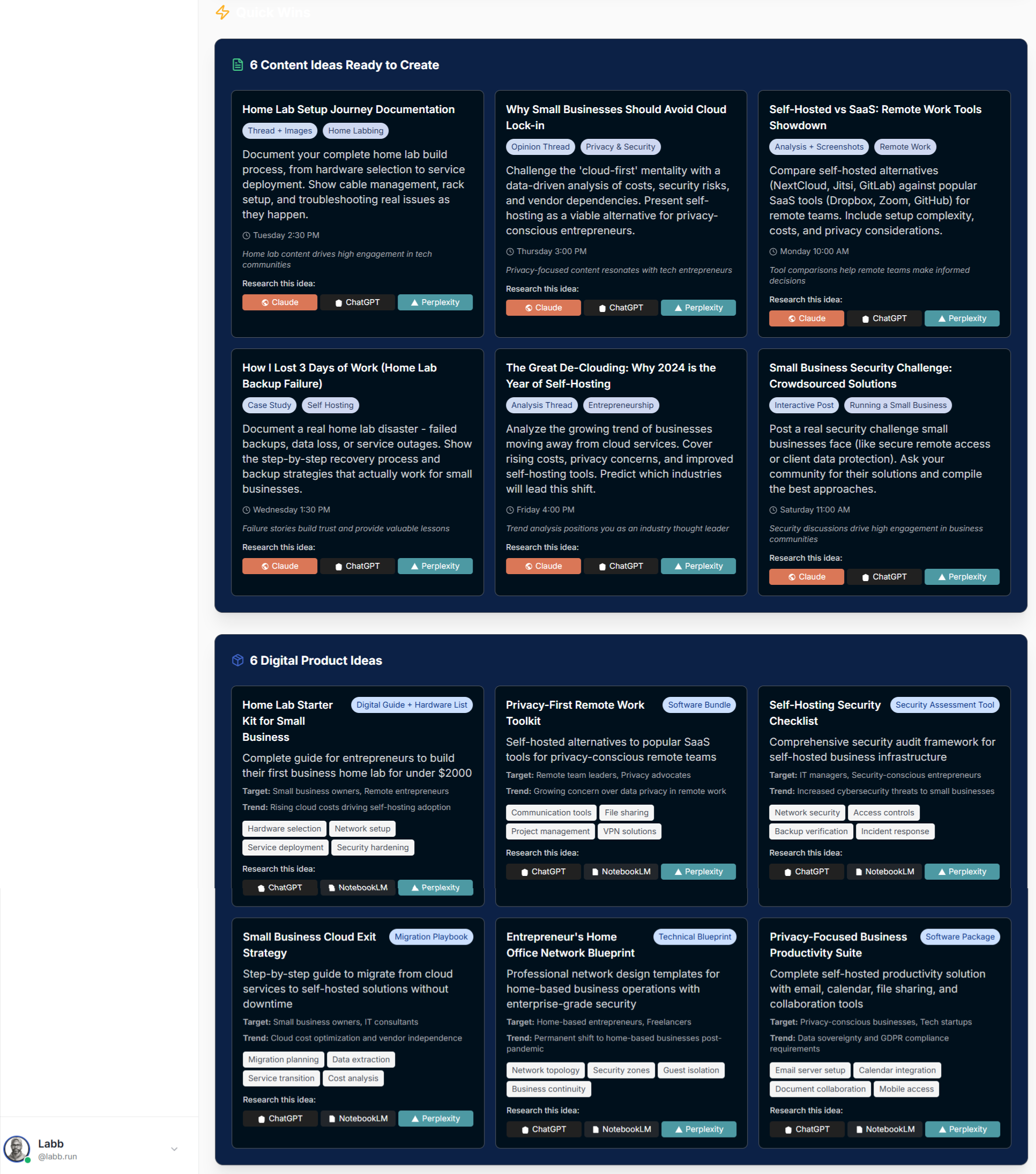
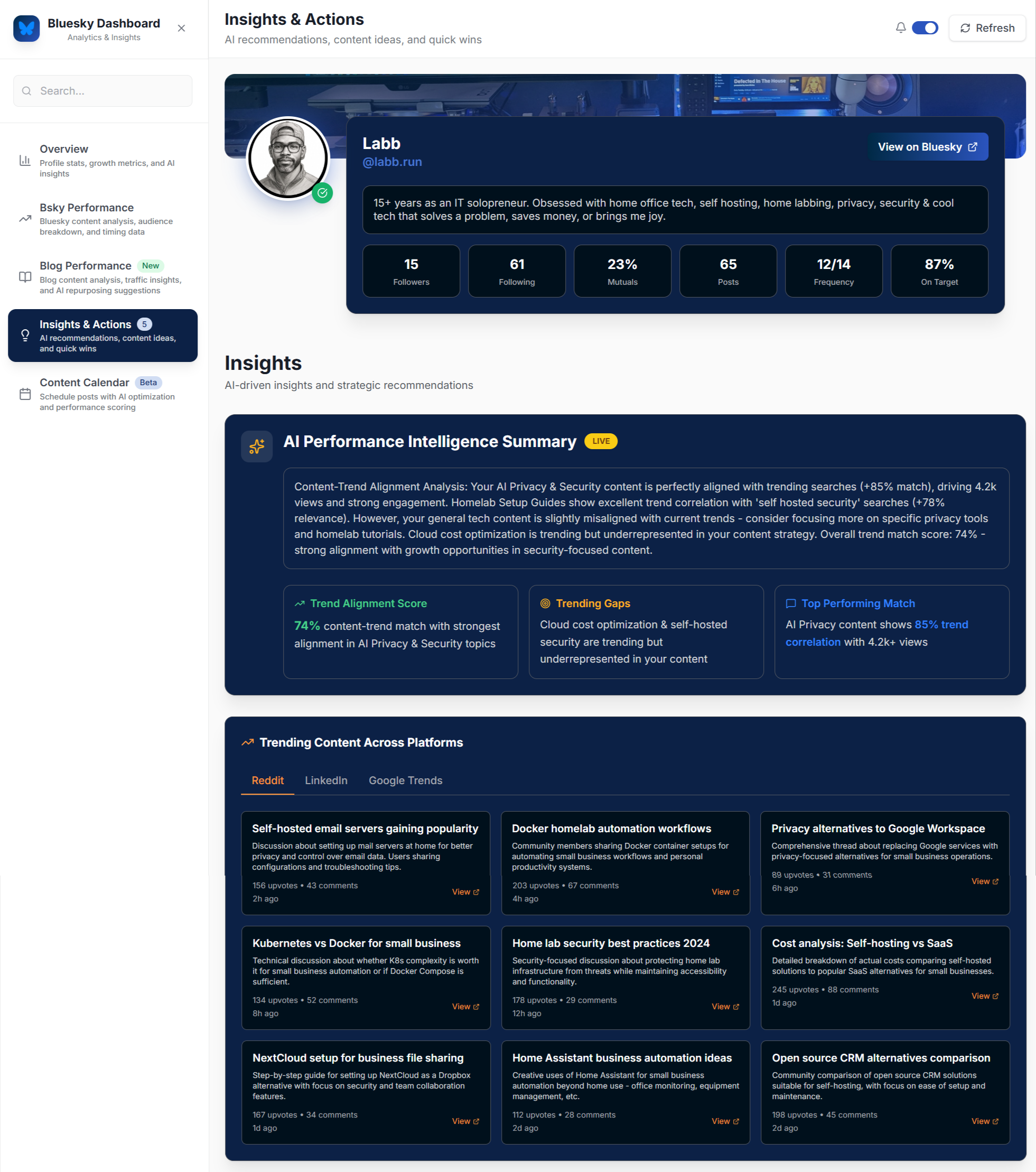
- Insights and Actions analyzes trending content across platforms, suggests content ideas based on those trends and that speak to my target audience, and suggests digital product ideas to capitalize on opportunities.
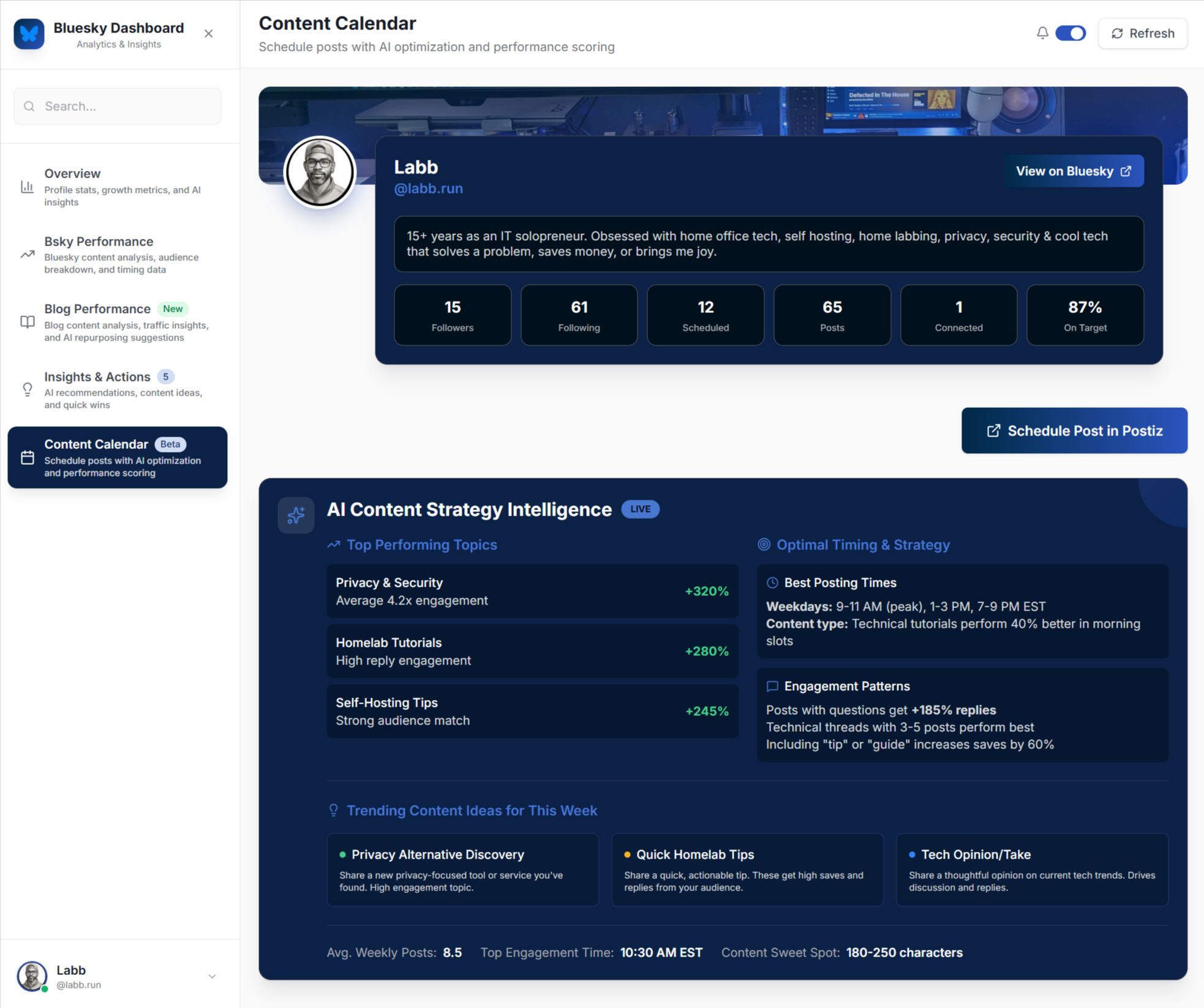
- Content calendar gives me top performance metrics, optimal times, and using the API from my self hosted Postiz app will score my scheduled content to measure how beneficial it should be and suggest metrics improvements that content will create.
Additional notes
I was going to integrate the Postiz scheduling functionality into the app, but thought that was adding to many unnecessary moving parts for now. All I really needed was the analysis of the scheduled content and that app’s API can deliver that data back to my social media app for analysis.
The suggested posts from the previous pages link directly to the scheduling functions of the Postiz app, or links to other AI tools to fine tune or research the idea. Since I have my own local models this may not be necessary, but I will leave it for now.
The biggest lesson learned
Claude Code won’t tell you if it doesn’t have what it needs.
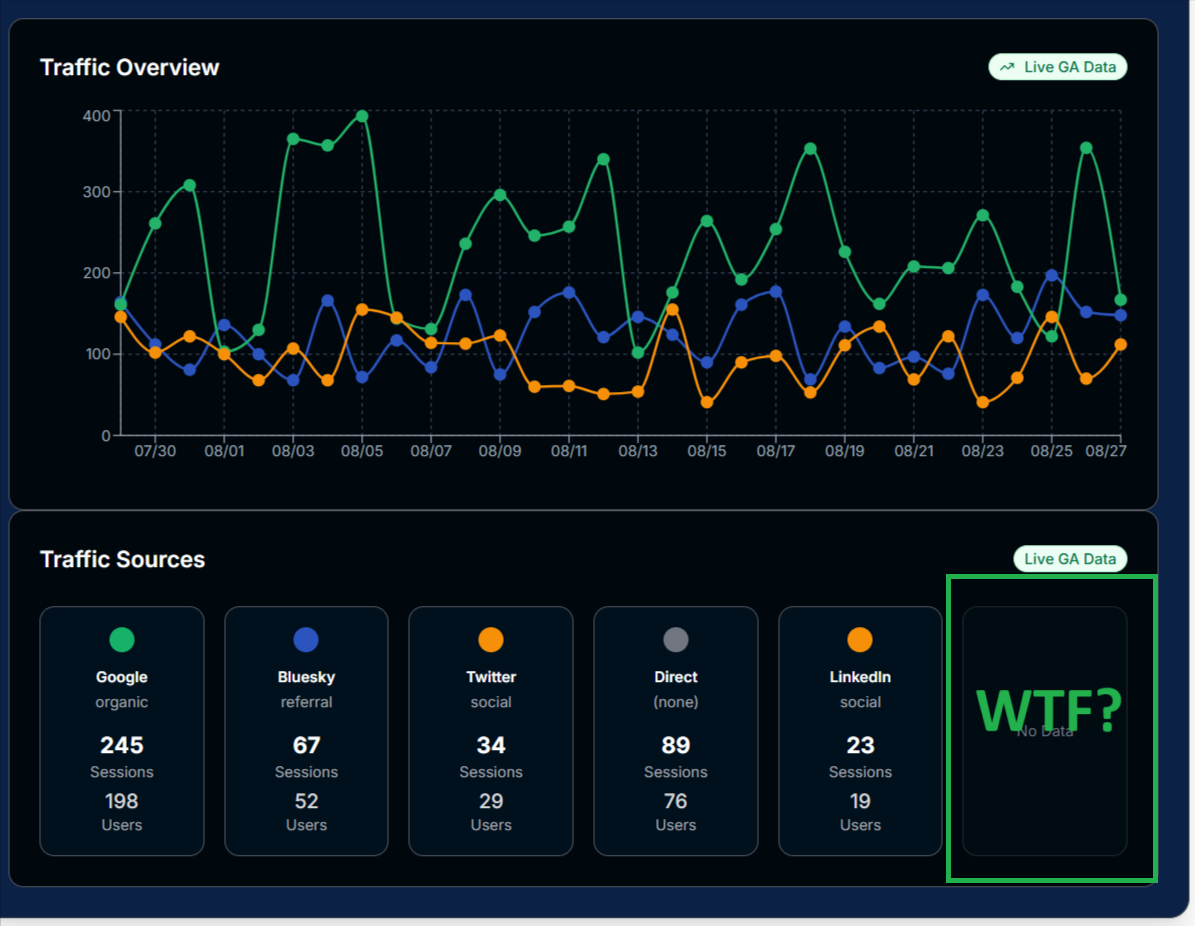
On one occasion I was asking it to display data from an API that the API didn’t provide. It never told me the data was unavailable, it just keep using dummy data which drove me crazy.
Eventually I asked if the API provides that data and it explained that it did not.
This happened again with the database connection. Instead of telling me that it wasn’t connected it created a dummy API key placeholder, or dummy data, or just straight out didn’t do things that required a database connection. It was only after I realized that it didn’t seem to be connected and asked that it told me that it wasn’t connected, then guided me on setting it up properly.
Pro tip: If you see it repeatedly using dummy data even though you think you’ve given it access to what it needs, something isn’t configured properly.
Final Thoughts
- There were some frustrations, but honestly it wasn’t terrible. Claude Code really is amazing and I was able to get the hang of it pretty quickly.
By day 3 I was pretty comfortable with it. The last 3 days felt like old hat compared to the first 2 and it was actually fun to see things develop.
For a novice like me to be able to put together an app based on my needs, and have it actually work is pretty awesome.
Granted, I haven’t had the code audited or security reviewed by a professional, but it’s also not a public facing app and only runs locally.
- I’m sure there are developers and naysayers fuming right now about how I have no idea of all the things it takes to build a large, complex, commercial application with a growing userbase, seeking rounds of funding…and they’re right. I don’t. But this isn’t that. This is a local app that solves my problem and it works.
- Can your Mom vibe code an app for her Divorced Women’s Wednesday Wine Club? Probably not, but I haven’t seen your Mom in years since I broke things off with her
.
- Can a reasonably savvy IT person who knows how to figure stuff out build something for themselves? Probably. I did.
- I know what people really want is this for LinkedIn since LinkedIn marketing is hot right now. The LinkedIn API is already attached to this app, so it wouldn’t take much to create a separate tab on each page that analyzes for LinkedIn and it’s target market which is a little different than my target market on Bluesky.
- Lastly, I discovered Linear late in the process. Will definitely integrate it on the next one.

Multi-disciplinary IT support strategist with 15+ years experience empowering entrepreneurs, corporate colleagues and remote teams with the knowledge, skills and technologies to get stuff done. | Sec+ – CySA+ (CSAP) – ITIL – ACSP


2 Comments
Comments are closed.